When "Runs Once" Quietly Becomes "Runs 8×": Lessons From Scaling an API to Many Instances

Remember that story about my database rebooting itself at 5 AM and the API hanging for 30 seconds? Turns out that was just one head of the same monster. When I dug deeper into why the app got slow every single morning, I found three separate root causes — and all three trace back to the exact same thinking mistake.
The mistake is dead simple, and I'm pretty sure a lot of you have been bitten by it without noticing:
A ton of code is written assuming "this operation runs once." The moment you add instances, it quietly becomes "runs N times" — and nobody tells you.
One cron job in my system ran 8 times every midnight. One of them touched user balances. Picture a refund paid out 8×. 😨 Here's the full story. 🕵️
The stage: 4 identical processes
The setup is exactly the same as in the previous postmortem, but this time the process count is the star of the show:
- Load balancer up front, 2 app servers.
- Each server runs PM2 cluster, 2 processes per server.
- So there are 4 identical Node processes in total, all running the same code.
- MySQL and Redis live on separate servers.
That number — 4 processes — looks trivial. But it's the silent multiplier running through this whole story. Burn it into your head: whatever you write runs 4 times, not once.
The symptom? Same as before: every morning some requests got slow >30 seconds or timed out (RTO), and only went back to normal after pm2 reload all. For a few days the "fix" was a manual reload every morning, like taking a pill. That pill killed the symptom, not the disease.
How I found it: a healthy process ≠ a healthy system
Before the root causes, one diagnostic lesson that was, to me, the most valuable takeaway of all of this.
An app can look perfectly "healthy" in monitoring and still be slow. During the incident every process metric was green: CPU ~1%, event-loop latency ~0.5ms, memory calm. Nothing spiked. If you only looked at the PM2 dashboard you'd say "it's fine, no problem here."
How to read it:
- Healthy process + slow requests = the bottleneck is outside the process. It's waiting on something (DB / Redis / network), not doing something.
- Measure latency per-endpoint from the outside to isolate it:
ttfb=0.000 total=30.005 → server accepts the connection but never sends a single byte = HANG on the server
- The 30-second number is not a coincidence — it's exactly the DB connection pool's timeout (
acquire: 30000). A timeout value that shows up over and over is a strong hint about where the hang lives.
Lesson: process monitoring alone isn't enough. Also measure your dependencies (DB pool, Redis latency) and per-endpoint latency. Otherwise you'll stare at an all-green dashboard while users scream.
Root cause #1: Dead connections sitting in the pool
I already tore this one apart in the previous postmortem, so here I'll just summarize it so the three-root-cause picture is complete.
Symptom
The endpoints that hit the DB most hang, while cache-served endpoints stay fast. Weirdly, when you check the DB (SHOW FULL PROCESSLIST), it's idle, healthy, no locks — and the hanging query doesn't appear at all in the process list.
Why
- The pool was configured to hold idle connections (
min: 2). Overnight, when traffic is quiet, MySQL closes idle connections that passwait_timeout(default 8 hours). - The connection becomes half-open: the socket is dead, but the pool still thinks it's alive. The driver doesn't validate the connection before use.
- Morning traffic rises → a request grabs a dead connection → the query packet goes into a black hole: the app waits, but the query never reaches the DB (that's why it's absent from the process list) → it hangs until timeout → RTO.
pm2 reload"fixes" it because it spins up fresh processes with fresh connections. A painkiller, not a cure.
Fix
Change the pool config so dead connections get discarded & replaced automatically instead of hanging:
  pool: {
    max: 10,
-   min: 2,          // holds idle connections → they die overnight
+   min: 0,          // don't hold idle connections
-   acquire: 30000,  // hangs 30s on a dead connection
+   acquire: 10000,  // fail fast
+   evict: 5000,     // sweep dead connections often
  },
  dialectOptions: {
    enableKeepAlive: true,
+   keepAliveInitialDelay: 10000,  // TCP keepalive detects dead sockets sooner
  },
Key: min: 0 removes the connections that "sit around" until they die. Fail-fast + keepalive make sure the rest get replaced, not stuck.
Root cause #2 (SPOTLIGHT): Cron jobs in a multi-instance environment
This is the biggest and most-often-missed trap when scaling.
The symptom here
The logs showed each daily cron logged 8 times at midnight. It should be once. When I first saw it I thought the logging was buggy. Nope — the cron genuinely ran 8×.
Why: two layers of duplication
Layer 1 — a double-registration bug. The scheduler module was registered twice (once in the root module, once in the cron module). Each registration re-scans all @Cron handlers and schedules them again → every cron runs 2× per process.
Layer 2 — the cluster. The in-process scheduler runs in every process. With 2 servers × 2 processes = 4 processes, each cron runs 4×.
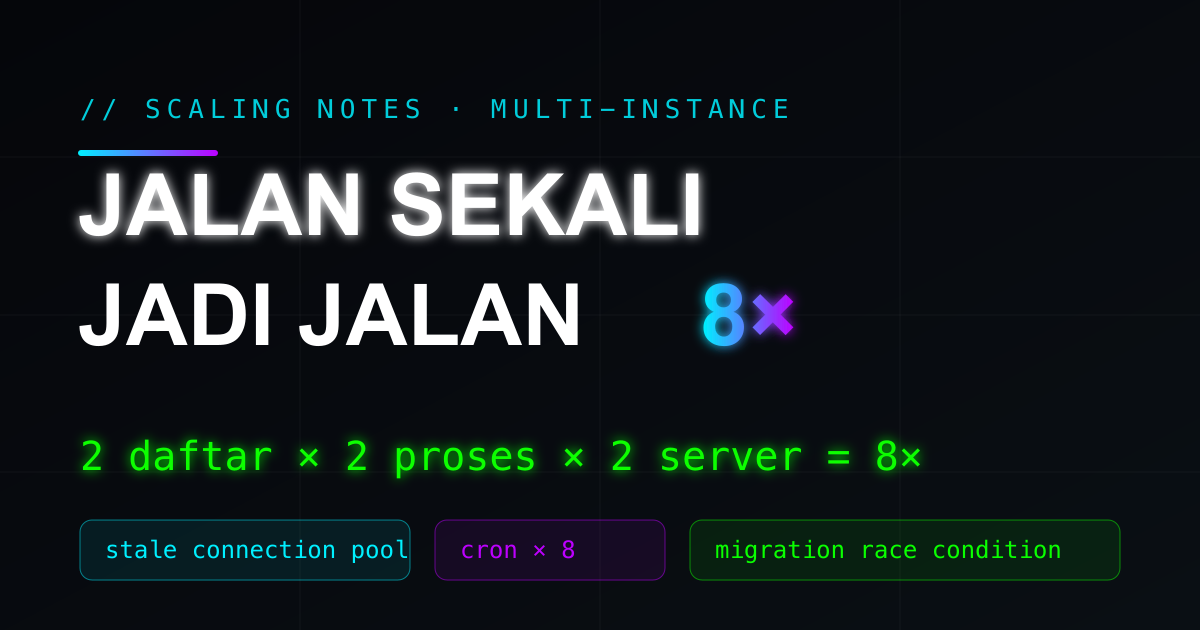
2 (double registration) × 2 (processes/server) × 2 (servers) = 8× per daily cron
Why this is dangerous (not just wasteful)
At 00:00 every cron storms the DB at once (here: ~3 daily crons × 8 = ~24 heavy operations simultaneously):
- Lock contention / deadlocks — many processes
UPDATEthe same rows inside transactions → they lock each other, some hit lock-wait timeouts, connections get stuck. This makes root cause #1 even worse. - Multiplied DB load — a heavy aggregation query (say a full-table scan) runs 8× even though the result is identical.
- Data-integrity bugs — this is the one that gives me chills. One of those crons issued a balance refund to users. Running 8× means potentially paying out a 2–8× refund. Any cron that touches money/balances must be guaranteed to run once. Period.
Fix
Step 1 — fix the double registration. Register the scheduler exactly once in the root module. This cuts 8× → 4×.
Step 2 — guarantee it runs once cluster-wide. A few patterns, pick what fits your deploy:
| Pattern | How | Good for |
|---|---|---|
| Leader by config | Env CRON_LEADER=1 on one process, 0 on the rest | Deploys with per-server env |
| Leader by identity | Guard: NODE_APP_INSTANCE === "0" && hostname === <leader> | Shared env; deterministic, no dependency |
| Distributed lock | SET <key> <val> NX PX <ttl> in Redis; the lock winner runs | When you need automatic failover |
| Dedicated cron process | Run the scheduler in one dedicated process (instances: 1), separate from the API processes | Cleanest architecturally |
Example leader guard (placed at the top of every cron):
export function isCronLeader(): boolean {
  const explicit = process.env.CRON_LEADER;           // explicit override
  if (explicit === "1" || explicit === "true") return true;
  if (explicit === "0" || explicit === "false") return false;
  if (process.env.NODE_APP_INSTANCE === undefined) return true; // single-process (dev)
  const leader = process.env.CRON_LEADER_HOST || "app-node-primary";
  return process.env.NODE_APP_INSTANCE === "0" && os.hostname() === leader;
}

@Cron(CronExpression.EVERY_DAY_AT_MIDNIGHT)
async refundJob() {
  if (!isCronLeader()) return;   // only 1 process cluster-wide continues
  // ...
}
Important note: the guard
NODE_APP_INSTANCE === 0alone is not enough if you have >1 server — every server has its own instance 0. You must combine it with server identity (hostname/env) or use a distributed lock. It's a trap inside a trap.
Practical cron rules for multi-instance
- Register the scheduler once — watch out for
forRoot()getting called in multiple modules. - Assume the scheduler runs in every process. Add an explicit "run once" mechanism.
- Crons that change money/balance/critical state must be idempotent and locked.
- Add clear logs (start & finish) so duplication is immediately visible.
Root cause #3 (SPOTLIGHT): Database migrations in multi-instance
This is the cousin of the cron problem — and just as often ignored.
The symptom here
The deploy pipeline had two parallel workflows (one per server), both triggered by the same tag. Each one ran npm run migrate via SSH to its server — against the same database.
Why this is dangerous
A migration is a "run once per release" operation — not once per server. Two migrate processes running at the same time against one DB can cause:
- A race on the migration meta table (
SequelizeMetaand friends) — both processes read "migration X hasn't run yet" and then both try to run it. - Partial / double apply — the second
CREATE TABLEfails, anALTERruns twice, or a migration half-completes → an inconsistent schema. - DDL deadlocks — concurrent DDL locks against each other.
This is the exact same pattern as the cron bug: a "once" operation run N times because there are N instances/deploys. Whether you notice it or not, the theme keeps coming back.
Fix
Run migrations exactly once per release. A few ways:
- Just one migrate step. If several servers share one DB, run migrate from one workflow/step, not per server.
# In the second server's workflow — DELETE the migrate step.
# The DB is shared; migrating from the first workflow is enough to run once per release.
- A separate migrate job that runs before any server restarts (fan out the deploy after migrate succeeds).
- An advisory lock at the DB level (e.g.
GET_LOCK()in MySQL,pg_advisory_lockin Postgres) inside the migration runner, so the second runner waits/skips.
Ordering considerations (going deeper)
Beyond "run once," there's an order you have to think about:
- Migrate first, then restart the app. If server B restarts new code before server A's migration finishes, the new app can run on the old schema → errors.
- Backward-compatible migrations. During a rolling release, old and new code run side by side for a moment. Migrations should ideally be two-way compatible (e.g. add a nullable column first, backfill it, then make it required in the next release) so you don't break old code that's still serving traffic.
Practical migration rules for multi-instance
- Migration = once per release, not once per instance.
- Separate "migrate" from "deploy/restart"; migrate first, restart after.
- Protect the runner with a lock (advisory lock) if parallel runs are possible.
- Make migrations backward-compatible for rolling deploys.
The common thread: audit your "run once" operations
The three problems above are different faces of the same thinking mistake:
Code written assuming a single instance, then scaled to many instances without revisiting the operations that should be global / run once.
So every time you add an instance (or a server), audit these. I keep this checklist in my own notes:
- Scheduled jobs / cron — running in every process? Is there a "run once" mechanism?
- Database migrations — once per release, not per server? Locked? Backward-compatible?
- Warmup / seeding / one-time init at startup — running in every process?
- In-memory state (counters, local cache, rate limits) — does it need to move to a shared store (Redis)?
- Connection pool — does its size & behavior (min/idle/keepalive) still make sense multiplied by the process count?
- Startup side-effects (sending an "app started" notification, registering webhooks) — running multiple times?
- Fail-fast & timeouts — do slow/dead dependencies turn into fast errors instead of hangs?
Wrapping up
The symptom was just "slow every morning," but the root was three multi-instance traps: a stale connection pool, a cron running 8×, and a migration that could race. All of them slipped through because the code was correct for one instance — and quietly wrong for many.
The main lessons you can carry to any project:
- A healthy process ≠ a healthy system. Measure dependencies & per-endpoint latency.
- Every "run once" operation needs an explicit plan under multi-instance — cron and migrations first.
- Fail fast, don't hang. Timeouts on the pool, requests, and dependencies turn silent failures into clear signals.
- A reload/restart that "cures" it is a symptom, not a solution — it usually points to state (connections/memory) leaking or piling up.
The temptation when scaling is always "just add a server, done." But adding a server multiplies every assumption you made. What ran once now runs N times, and the scariest part: sometimes you only find out when someone gets refunded 8×. 🚀
Indonesian version here.