Why I Upload My Apps to the Play Store & App Store from My Own Laptop, Not GitHub Actions

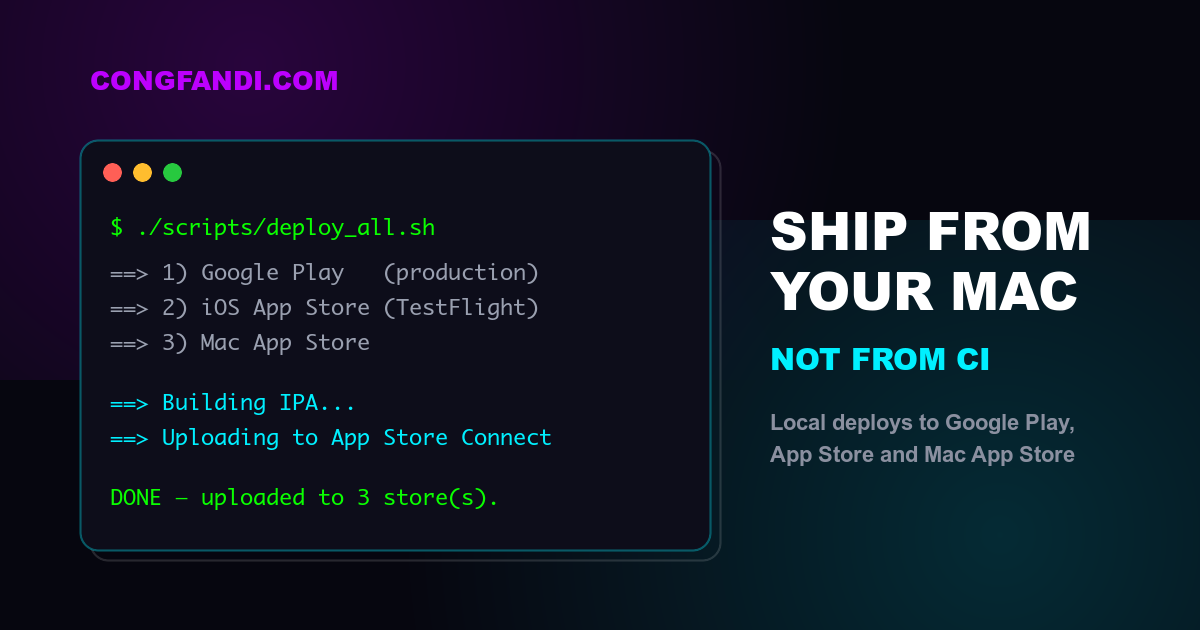
Before we start, one important disclaimer: this article is for you who has a Mac environment locally. If you don't have a Mac, feel free to skip this one — iOS builds need a Mac anyway, so the story won't be relevant for you. 😄
For those still here: I want to tell you why I eventually stopped using automation like GitHub Actions and Codemagic for my mobile releases, and went back to what looks like the "old school" way — building and uploading straight from my own laptop. Spoiler: it's not because I'm anti-automation. Quite the opposite — my deployment is more automated than before. The difference is that the automation now runs on a machine I control 100%.
The sweet promise of CI/CD for mobile releases
We all know the pitch: push a tag, then GitHub Actions / Codemagic / Bitrise builds and uploads to the stores for you. Touch nothing, "it just works". For a big team with many developers, this makes total sense — builds are reproducible and don't depend on anyone's laptop.
I believed it too. Until I got hit by the same problem over and over, and finally realized: for a solo developer or a small team that owns a Mac, the price you pay for that "convenience" is expensive.
My problem: version upgrades = CI explodes
This is the pattern that kept repeating for me:
- I upgrade Flutter, or bump a library version, or Xcode updates on my machine.
- Locally:
flutter buildruns smoothly, the app works fine, everything is green. ✅ - Push to CI... red. ❌
Why? Because the CI environment is not my environment. The Flutter version on the runner is different, the Xcode version in the image is different, CocoaPods is different, the Java used by Gradle is different. Every time I upgrade something locally, I have to "chase" the config in YAML: bump versions in the workflow, switch images, wait in the queue, build for 20 minutes, fail again because one more tool turned out to have a mismatched version, repeat.
And this isn't a one-off incident. Frameworks and libraries always release new versions to fix something — that's literally their job. Which means the "works locally, breaks in CI, patch the YAML" cycle isn't an accident; it's a recurring cost I had to pay every few weeks. Debugging a pipeline with a 15–20 minute feedback loop per attempt is one of the most annoying activities in programming. 😩
Then it hit me: what I actually want is simple — the binary I tested locally is the one that reaches my users. If the build comes from the same machine I develop on, the whole "different environment" problem doesn't shrink — it disappears entirely. The config on my machine is 100% exactly what I use every day. If the code runs well locally, the release build will run well too — because it's literally the same machine and the same toolchain.
The solution: automation, but local
What I threw away was the CI, not the automation. My mobile project has a scripts/ folder with a few shell scripts:
scripts/
├── deploy_all.sh                  # release to ALL stores in one go
├── deploy_playstore.sh            # Google Play
├── deploy_appstore.sh             # iOS App Store (via TestFlight)
└── deploy_macos.sh                # Mac App Store
A full release to all three stores is one command:
./scripts/deploy_all.sh
The script asks for confirmation first, shows the version it's about to release (read automatically from pubspec.yaml), then runs build + upload for each platform in sequence. There's a -y flag to skip the confirmation and -s to skip a platform (e.g. -s macos when I only want a mobile release).
What each script does
Here's the iOS one, simplified:
# 1. Guard rails first — fail fast if anything is off
[[ -f "$ENV_FILE" ]] || { echo "ERROR: env file not found"; exit 1; }

case "$(xcode-select -p)" in
  *Xcode.app*) ;;
  *) echo "ERROR: xcode-select points to CommandLineTools"; exit 1 ;;
esac

if [[ -n "$(git status --porcelain)" ]]; then
  echo "WARNING: uncommitted changes in working tree."
fi

# 2. Clean build
flutter clean
flutter pub get
(cd ios && pod install)
flutter build ipa --release

# 3. Upload to App Store Connect
xcrun altool --upload-app -f "$IPA" -t ios \
  --apiKey "$ASC_KEY_ID" --apiIssuer "$ASC_ISSUER_ID"
The Android version is similar: flutter build appbundle --release, then upload to Google Play with fastlane. What I really like is that the Play Store script supports tracks and staged rollouts:
# release to the internal track first
./scripts/deploy_playstore.sh -t internal

# or straight to production, but roll out to 10% first
./scripts/deploy_playstore.sh -r 0.1
Pay attention to the guard rails — every one of them came from real pain:
- Check the env file & API keys exist before starting, so you don't build for 10 minutes only to fail at the upload step.
- Check
xcode-selectpoints to the real Xcode, not CommandLineTools (this one confused me for half an hour once 🙃). - Warn when the working tree is dirty — so you're aware you're about to ship uncommitted code.
- All credentials (App Store Connect API key, Google Play service account) live in local env files that are gitignored — they never touch the repo, and never become "secrets" managed in someone else's dashboard.
That last point is a bonus nobody talks about: with local deploys, my store credentials never leave my machine. No service account sleeping over on somebody else's CI server.
My favorite bonus: a local AI agent that handles everything
This is the part that made me fall in love with the setup. Because the whole deployment is just shell scripts on my machine, the AI agent on my laptop can drive the entire process.
My release flow now looks like this: I tell the agent "ship a new release". The agent:
- Checks what changed since the last release from the git log.
- Writes the release notes / "what's new" copywriting — and it's genuinely good, natural, not template-y at all. I don't have to think about copywriting ever again. ✍️
- Bumps the version in
pubspec.yaml. - Runs
./scripts/deploy_all.shand watches the output. - If something fails, it reads the logs on the same machine and fixes it right there.
Compare that with debugging CI: the agent (or me) has to open a web dashboard, read logs from a runner whose environment can't be touched, guess, push "fix ci" commit number 17, wait in the queue... Locally, the feedback loop is seconds, not tens of minutes. The agent can iterate until it's done.
Same automation — smarter, even — just running in an environment I fully own.
To be fair: CI still has its place
I'm not saying CI/CD for mobile is bad for everyone. If your situation looks like this, CI is still the right call:
- Big teams — many people need to be able to release; it can't depend on one laptop.
- No Mac — Codemagic and friends provide Mac runners, and that's the only way to build iOS. (Hence the disclaimer at the top. 😄)
- Formal audit trails — some companies must build from a certified environment.
But if you're a solo developer or a small team, you own a Mac, and you're tired of patching YAML every time a framework ships a new version — consider going back to local. It's not a step backwards to the manual era; it's moving the automation onto your own machine.
Takeaways
- My core problem with CI: its environment is not my environment. Every framework/library upgrade locally = a messy, time-eating YAML maintenance session.
- Deploying from local gives me full control and 100% config parity: the code that runs well locally is exactly what gets uploaded.
- "Manual" doesn't mean not automated — everything is wrapped in shell scripts, one command releases to all three stores, guard rails included.
- The biggest bonus: a local AI agent can own the entire release process, including writing the release notes, because it's all just scripts on my own machine.
- Store credentials never leave my laptop.
If you've got your own war stories with mobile CI — or a CI setup that has somehow never broken — tell me about it, I'm curious. 🚀