I Built 6 Free Dev Tools and Now I Use Them Every Single Day


Every workday there's some tiny annoyance: JSON from an API pasted as one ugly line, a parse error with no clue where it is, or me googling "base64 encode online" for the hundredth time. Then the site that loads is buried in ads, begs for cookies, and — the worst part — asks me to paste a production token into someone's random server.
I got tired of it. So I built my own. Six small tools, all running 100% in the browser, zero ads, zero uploads. Open, paste, done. Here's what I made and why each one exists.
The one rule: nothing leaves your browser
Before the tools themselves, here's the principle I held from day one: none of your data ever leaves the browser. No fetch to a server, no silent logging, no fake "we value your privacy" banner.
Why does this matter? Because tools like these get used for sensitive stuff — JSON payloads with user data, auth tokens, credentials. Every time you paste that into some random online tool, you're trusting a stranger. Mine run entirely on your machine (all the logic is client-side), so there's nobody to trust. Want proof? Open the Network tab — you won't see a single outgoing request. 😎
They all live in one place: congfandi.com/dev-tools.
1. JSON Prettier — clean up messy JSON instantly
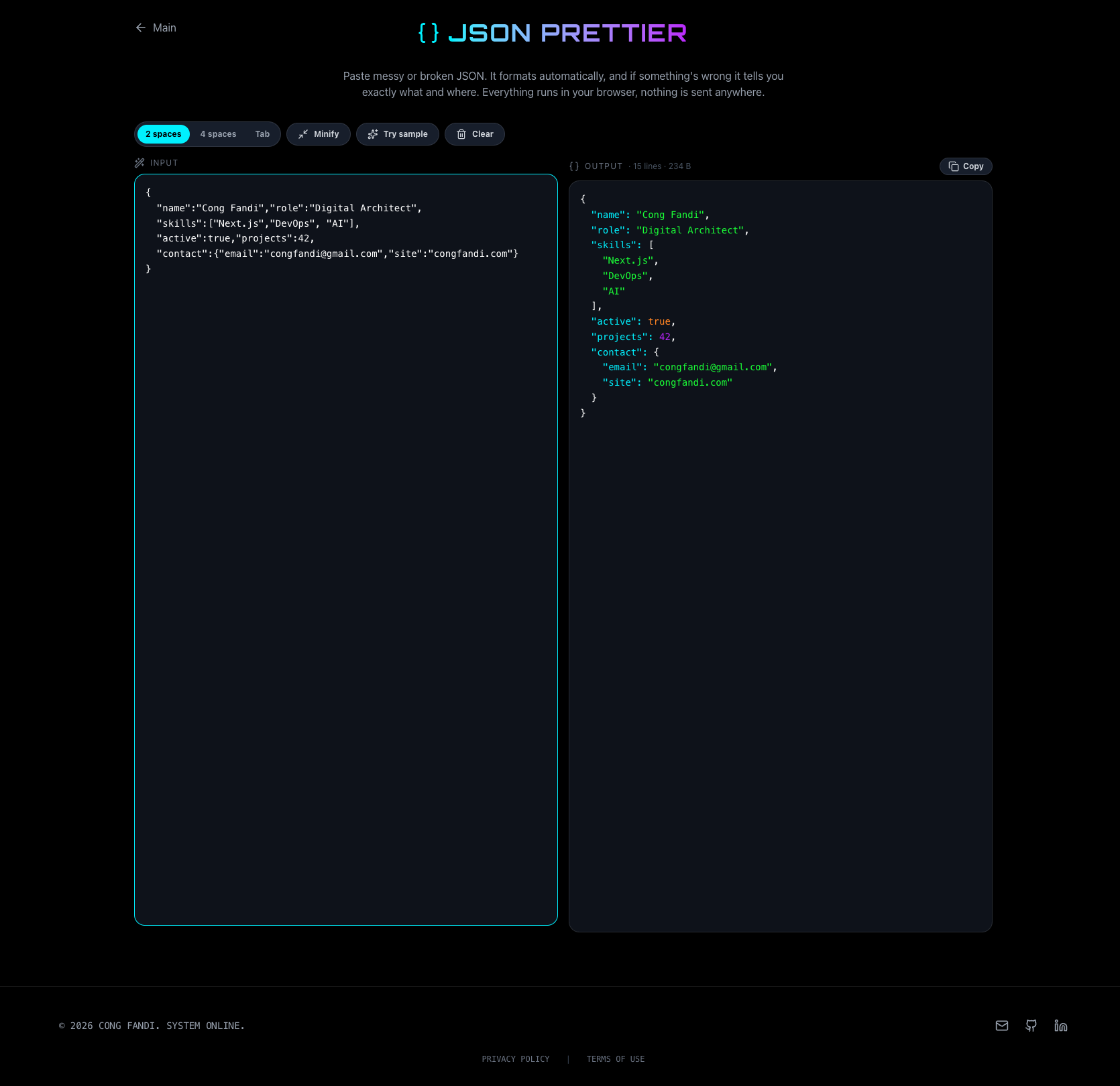
API returned JSON crushed into one endless line? Paste it into JSON Prettier and it's instantly indented with readable syntax highlighting.
What makes it different:
- Auto-formats as you type — no button to press.
- Choose 2 spaces, 4 spaces, or tabs, plus a Minify button when you need it small again.
- If the JSON is broken, it doesn't just say "invalid" — it shows you the exact line and column where it breaks, plus a guess at the cause (trailing comma, missing quote, etc).
This one is basically a tab I always have open.
2. JSON Verify — find the error that's driving you nuts
Ever been handed a 2000-line JSON that won't parse and had to hunt for the one rogue comma? JSON Verify is built for exactly that.
Paste your JSON, get a valid/invalid verdict. If it's invalid, it points at the exact character — boxed, with a labelled caret, plus line and column.
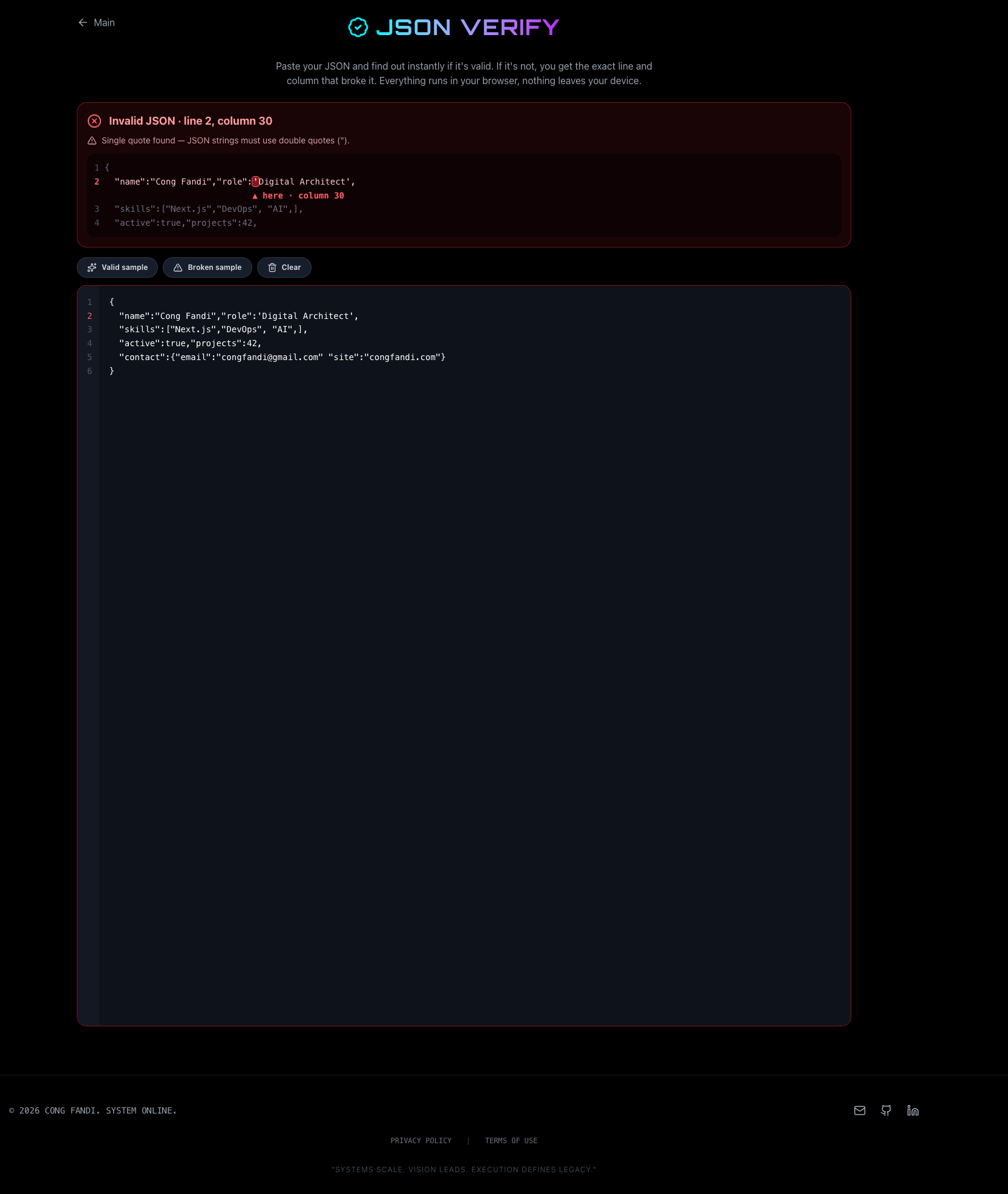
Why a dedicated tool? Because browser JSON.parse error messages are inconsistent — newer Chrome often omits the position entirely. So I wrote my own JSON scanner to locate the error reliably, no matter which browser you're on.
3. JSON Compare — diff two JSONs without the key-order drama
Comparing two API responses, or a config before vs after? Paste both into JSON Compare.
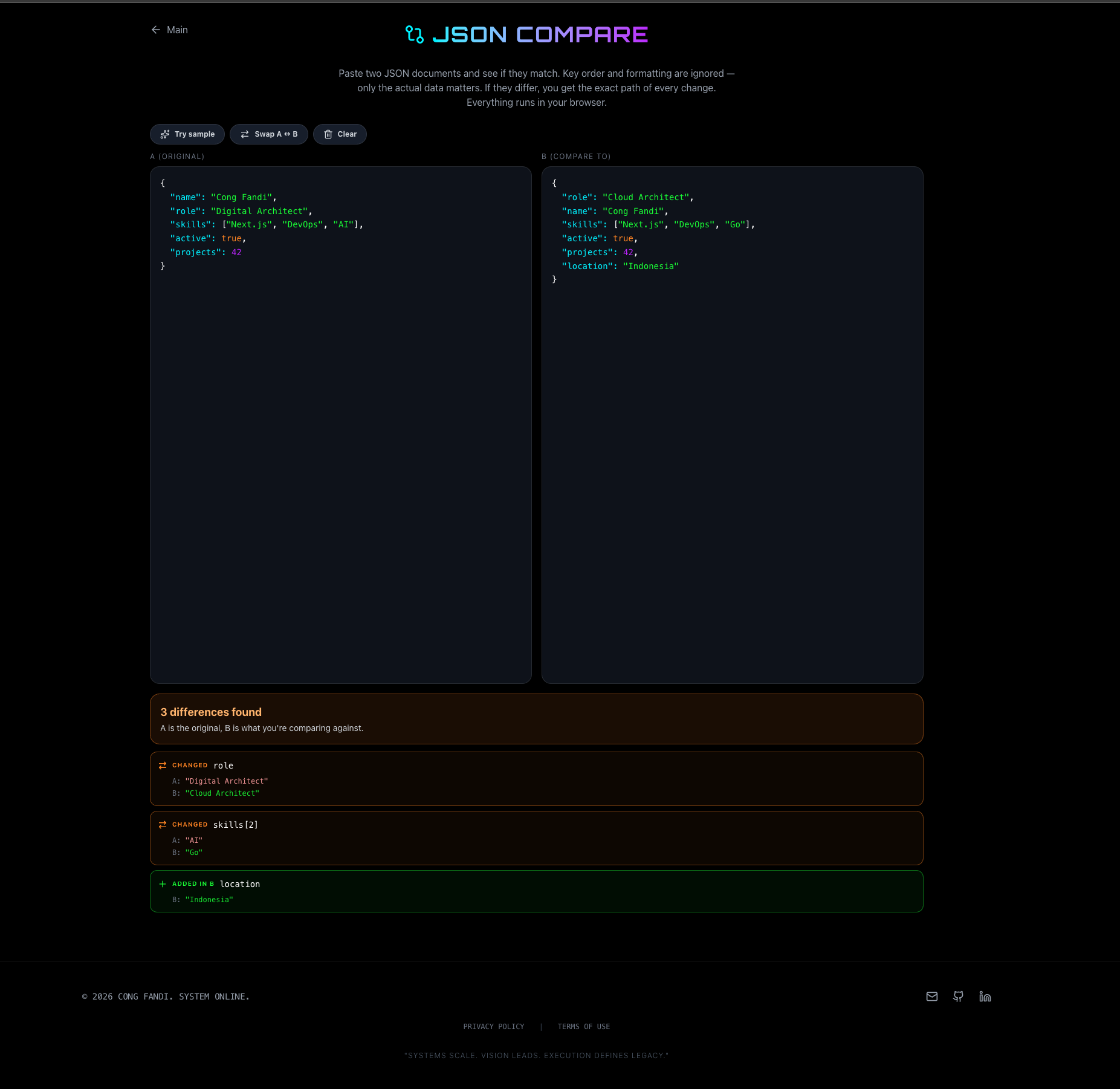
The key thing: it compares by data, not text. Different key order? Different formatting? Not counted as a difference. It only reports what actually changed, with the path of every change (profile.social.x, projects[1].stars, etc) and a clear label: added, removed, or changed.
So much saner than dropping two files into a text diff tool that lights up red just because the keys are in a different order.
4. Base64 — encode & decode, Unicode-safe
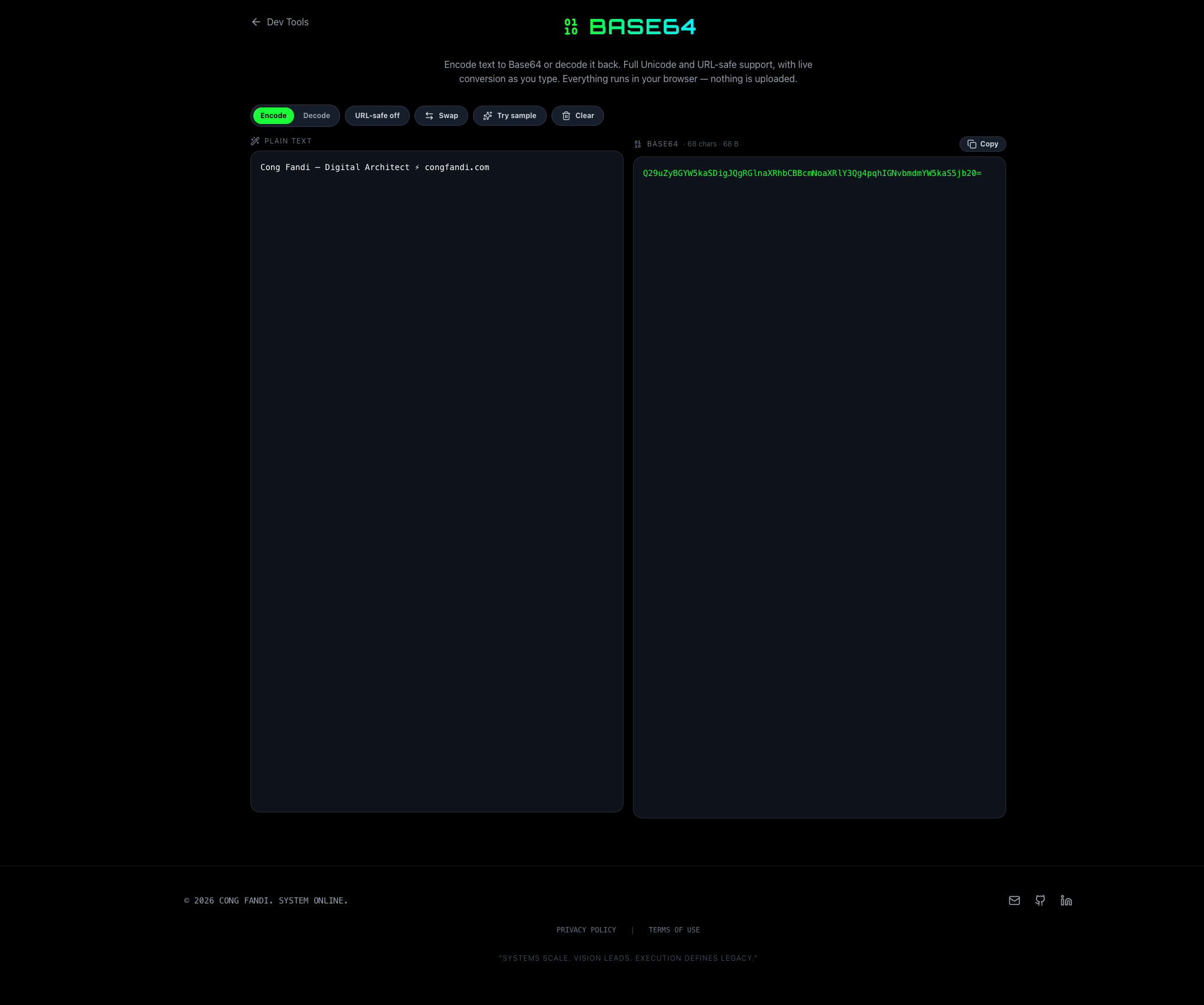
A classic that never stops being useful. Base64 encodes text to Base64 or decodes it back, live as you type.
The detail other tools forget:
- Unicode-safe. Emoji, accented letters, non-Latin scripts — all survive. (Browser
btoabreaks on these; I round-trip through UTF-8 bytes first.) - URL-safe mode for tokens used in URLs (
+/become-_, padding stripped), and the decoder accepts either form. - A Swap button to feed the output back as input — easy round-trip checks.
5. Auth Header — read & build Authorization headers
The one I reach for most while debugging APIs. Auth Header works both ways.
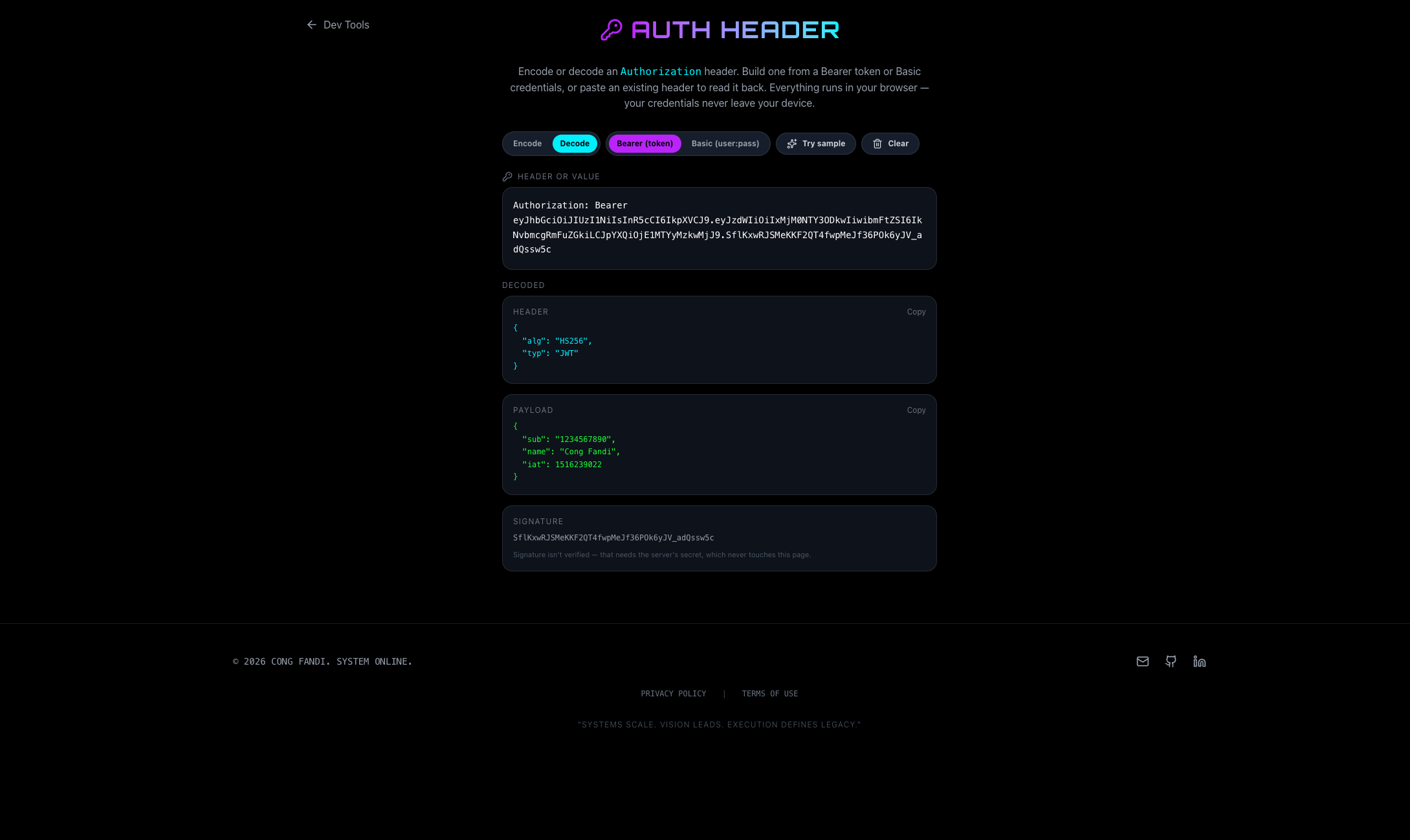
Decode (the default): paste a header — a full Authorization: Bearer ... line, or just the value:
- Bearer: if it's a JWT, it decodes and pretty-prints the header + payload as readable JSON, and shows the signature. No more ad-stuffed JWT decoder sites.
- Basic: it reveals the username and password from the Base64 (password masked, with an eye toggle to show it).
Encode: build a ready-to-paste header from a token (Bearer) or from a username + password (Basic auth).
And yes — the credentials go nowhere. For a tool that handles tokens, that's not a bonus feature, it's the whole point.
6. JSON to TS — JSON into TypeScript interfaces, automatically
My favorite, and the biggest time-saver. Paste any JSON into JSON to TS and get clean, ready-to-use TypeScript interfaces.
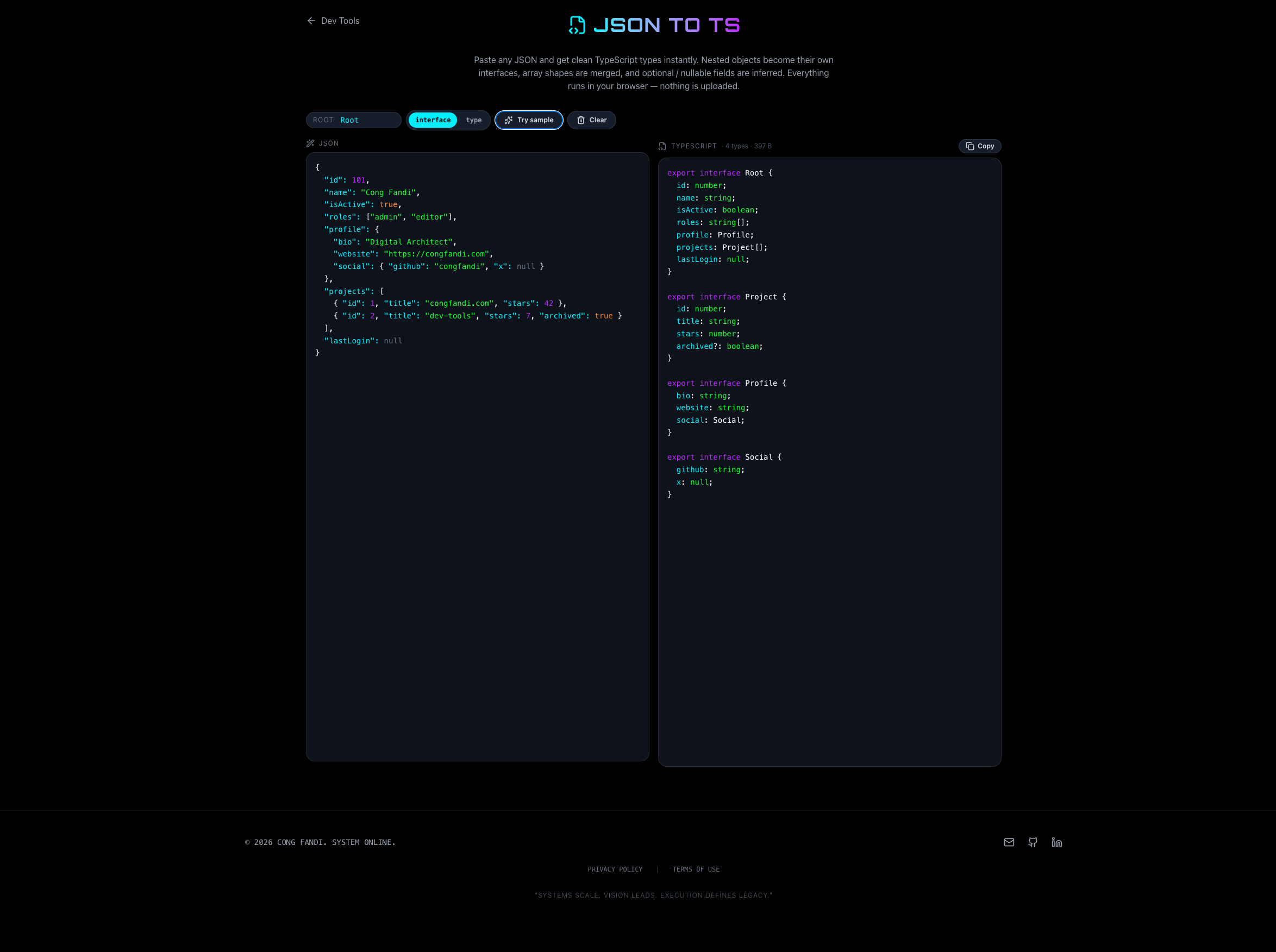
It doesn't just map types naively — it actually infers the shape:
- Nested objects become their own interfaces (
profile→Profile,social→Social). - Arrays of objects are merged into one shape — a key missing from some elements becomes optional (
archived?: boolean), differing types union together. - Null & nullable are handled, mixed arrays become neat parenthesized unions (
(string | number | null)[]). - The JSON input itself is auto-prettified and color-highlighted, and you can rename the root or pick
interfacevstypeoutput.
What used to be hand-typing interfaces while squinting at a response is now paste-and-copy. It genuinely saves minutes that add up to hours.
Why did I bother building these?
Honestly? Because the existing tools annoyed me, and I wanted something that's:
- Fast — opens instantly, no loading, no cookie banner.
- Private — all in the browser, truly nothing uploaded.
- Actually helpful — accurate error pointers, smart type merging, the little touches that show a tool was built by someone who felt the pain.
They're all free, no sign-up, and they won't suddenly grow a paywall. Try them at congfandi.com/dev-tools and bookmark the ones you reach for.
If there's a 7th tool you wish existed — or you hit something weird in one of these — let me know. These were born out of my own problems, so I'm always happy to hear yours too. 🚀